Screensavers were first created to protect a computer monitor from phosphor burn-in. Early monitors had problems with the same image being displayed over and over for long periods of time. The phosphors, used to make the pixels in the display, glow at a constant rate for such a long period of time that they could discolor the glass surface of the monitor. This discoloration could be visible as a faint image overlaying whatever else was shown on the screen. Advances in technology and the creation of energy-saver monitors have virtually eliminated the need for screensavers.
Having said that, most of us still use screensavers. The most common reason is for entertainment, they just look good, however, you can also use a screensaver for security. Some screensavers can be set up with a password so you can walk away from computer and know it is safe. That's why it is called screensavers.
Showing posts with label computer. Show all posts
Showing posts with label computer. Show all posts
Wednesday, June 15, 2011

Tuesday, February 1, 2011
Screensavers
Do you use screensavers for your computer? In my case, I don’t because I just turn off the monitor whenever I am using my computer. Screensavers were fashioned to protect a computer monitor from phosphor burn-in. The phosphors, used to make the pixels in the display, burn at a stable rate for a long period of time that could lead to fade the glass surface of the monitor. The high technology has now made energy-saver monitors, which abolish the need for screensavers. So, if you have energy-saver monitor, you don’t need to use any screensaver. But, we can’t really deny that screen savers are entertainment. They all look cool.
Sunday, January 30, 2011
What is PDF? PDF stands for Portable Document Format. It is created by Adobe Systems for document exchange. You can view and print files with PDF. And you can even send a document or file through email, all you have to do is to scan the file then convert it to pdf file. The receiver can view it properly and print it as it is.
PDF allows you to read electronically either online or offline. You can download the file in to computer and then read it later. You have to download Adobe Acrobat Reader to be able to access pdf download. You can find free Adobe Acrobat Reader on the web. Adobe reader preserves all the fonts, graphics, colors, source and formatting despit the application and platform used to create it. PDF is commonly used on the Internet.
Now, if you are looking for files, e-books, and documents online through PDF, you can go to PDF search engine. PDF search engine offers you the opportunity and privilege to search the document you want to read and print. Most PDF search engines have millions of free downloadable documents, files, forms and e-books. You can even find novels and manuals. It is like any search engines, which give pages of results.
PDF allows you to read electronically either online or offline. You can download the file in to computer and then read it later. You have to download Adobe Acrobat Reader to be able to access pdf download. You can find free Adobe Acrobat Reader on the web. Adobe reader preserves all the fonts, graphics, colors, source and formatting despit the application and platform used to create it. PDF is commonly used on the Internet.
Now, if you are looking for files, e-books, and documents online through PDF, you can go to PDF search engine. PDF search engine offers you the opportunity and privilege to search the document you want to read and print. Most PDF search engines have millions of free downloadable documents, files, forms and e-books. You can even find novels and manuals. It is like any search engines, which give pages of results.
Monday, January 17, 2011
How to be safe at internet chat rooms
Internet chat rooms are very popular nowadays. I was amazed the first I joined the chat room and that was aol. I talked online to exchange messages and at that time there was no cam yet. I was using nicknames. It was really fun. People call instant message (IM) or simply chat. Don’t you know that there is a difference between IM and chat? IM refers to a conversation between two people, while chat is talking with a group. So, if you are into chatting or joining chat rooms like yahoo messenger and other. Here are some valuable things that you should:
· Never give out your personal information in a chat room like full name, SSN, full address, parents’ names, etc.
· Don’t agree right away to meet a stranger in person whom you met in a chat room. Get to know the person well first.
· When you’re asked to enter or sign up for a chat nickname
· Be cautious of chatters who ask you to meet in private chat rooms.
· You should read the terms and conditions, code of conduct, and privacy statement at the chat site before joining.
· Never give out your personal information in a chat room like full name, SSN, full address, parents’ names, etc.
· Don’t agree right away to meet a stranger in person whom you met in a chat room. Get to know the person well first.
· When you’re asked to enter or sign up for a chat nickname
· Be cautious of chatters who ask you to meet in private chat rooms.
· You should read the terms and conditions, code of conduct, and privacy statement at the chat site before joining.
Friday, June 19, 2009
Keeping your pc safe online
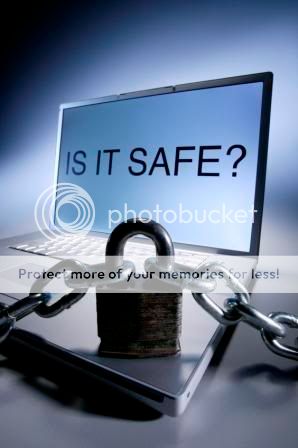
I am really careful when I am browsing in the net. I always make sure that I don't virus, trojan horse, worms and all sorts of malicious crap online. There are ways to keep your pc safe online. Actually, this is only for Windows pc. Here are my few tips:
1. Update Windows regularly
2.Install Firewall- in my own experience, I use Windows Firewall. I constantly updates it.
3. Check for viruses- scan for viruses everyday
4. Remove spyware-I use spybot
5.Browse more safely-this is the most important-I use Firefox for browsing. And Internet Explorer when I do some important transactions. Because IE features phishing scanner.
Saturday, March 21, 2009
Fake and scam Anti-virus
I receive a forwarded Email about fake virus warning by "Antivirus 2009" or "Antispyware 2009 a few days ago. I was already aware of these fake Infection warnings since last year. My pc got infected by it. It just popped-up on my screen. I click the exit button. But it did not go away. I knew it was virus since it was really odd. This dirty trick is created to get you to install and buy it. A lot of people got suckered of this dirty and scam antivirus while the crooks are making profits out of it. If ever you came across these fake antivirus, do not click on the popup window but instead, hold down the alt key and hit the F4 button to close the popup. Please dessiminate this topic to anyone you know.


Wednesday, February 11, 2009
Is your Internet Browser slow?
Is your Internet Browser slow? There are some ways to speed up browser. For Firefox users, go to "Tools" and then click "Add-ons. Disabled whatever add-ons you have there. Then reset your browser or you may close your browser then open another one. Or go to Tools, then erase your private data such as cookies and cache. If it doesn't work for you, scan for virus. You pc might got infected with virus.
Wednesday, November 5, 2008
Time & attendance software
Using some traditional ways of checking the attendance of their employees like filling out some forms are not really efficient methods. But with Software techniques products or software, a business or company will be able to reduce payroll preparation time and employee tracking time. Software techniques introduce three products:
With Software Techniques products, you have a better control over employment costs. It also increases productivity and accuracy in payroll management.
For more information, go to www.SoftwareTech.com and try the demo to see and try their products.


- SoftTime – it tracks employees' attendance like absences, vacation, tardy, sick leave etc. It has drag and drop interface that allows you use symbols onto the calendar to show reasons for absence. This is great in schedule vacations and detects absences. (See photo below)
- TimeKron - calculates the employees' time, tracks tardiness and absenteeism. You can mix and match options to suit your setting, your data collection requirements, and the types of employees that will be using the system.
- HR – It tracks your employee’s benefits, warning information, employee training, and performance evaluation, employees working history and salary changes. This software has a built-in Office Assistant that allows you to create your own record of information.
With Software Techniques products, you have a better control over employment costs. It also increases productivity and accuracy in payroll management.
For more information, go to www.SoftwareTech.com and try the demo to see and try their products.
Thursday, October 30, 2008
Read reviews at Alreadyhosting.com
Many people find web host service can be difficult to decide on sometimes because they do not know about web hosting and what they are doing. I see there are many web hosting services nowadays. I admit I belong this group. I don’t know so much about web host. These web-hosting companies are competing with each other. It is confusing because many web hosting companies have different offers. We don't know which is the best one.
When it comes to getting and subscribing a web host; you have to look for benefits and features. You should read some reviews at Alreadyhosting.com for you to be able to learn and find out the popular and the best web hosting service in the net today. This site is very detailed – I should say very informative –and contains unbiased reviews of webmasters and consumers. It features Top ten best web hosting companies, best web hosting for blogs, web hosting articles, blog, coupon codes and latest news about web hosting. I have read the consumers reviews on some web hosting companies at this site. And now I know which web hosting company I should get later. To know more about web hosting, look up this site. It is a great web hosting resource.

When it comes to getting and subscribing a web host; you have to look for benefits and features. You should read some reviews at Alreadyhosting.com for you to be able to learn and find out the popular and the best web hosting service in the net today. This site is very detailed – I should say very informative –and contains unbiased reviews of webmasters and consumers. It features Top ten best web hosting companies, best web hosting for blogs, web hosting articles, blog, coupon codes and latest news about web hosting. I have read the consumers reviews on some web hosting companies at this site. And now I know which web hosting company I should get later. To know more about web hosting, look up this site. It is a great web hosting resource.
Wednesday, September 10, 2008
Laptop Computer Buying Guide
 Are you planning on buying a Laptop Computer? Internet shopping is very popular nowadays. Many people would prefer to shop online because it is very convenient--- you don’t have to go anywhere. Before you buy a laptop, read some reviews and you should check out Laptop Computer Buying Guide. And you should find out which online store that offers great deals for laptop computers. However, there’s a site where you can search for certain products on the net. It is a powerful shopping search engine. It is like Google search or other search engines. The site is called Shopwiki.com. This shopping search engine powerfully crawls numerous online stores to assure you that you will get the appropriate results to your search.
On the page results, you will find tools that give you options to simplify your search results. In addition to that, you can also search by manufacturers, products, colors, and stores. Or you can simply go to shopping directory. And for gifts guide, check out their wiki gift guides. You can even start a new wiki at that site.
You can add Shopwiki to your Firefox search box. Shopwiki.com is the ideal shopping search engine. Thus, you will be able to save time in looking products and reviews on the net.
Friday, September 5, 2008
FireFox 3
I have finally updated my Firefox browser to version 3, the other day. At first, I was kinda apprehensive in doing it because the Firefox 3 is not compatible with Google toolbar (as Google didn't update thier toolbar yet). Actually, I like this new version better than the old one. It is a lot faster. Hopefully, I could grab more opps at PPP this time. lol The new features of the Firefox 3 are:
1. One-click Bookmarking- you can bookmark a site by just one click on the star icon at the end of the location bar. Well, that is pretty convenient.
2. Firefox 3 keeps memory usage under control. Faster page upload. This is what I was talking about!
3. Smart Location Bar- a fast way to get to the sites you want or hardly remember. You know what, this is kinda annoying to me. But, maybe I'll get used to it.
4. Full Zoom - when you visit your favorite news or web page, you can read the caption under the picture—or view the picture itself.
5. Download Manager - A pause and resume feature means there’s no need to wait for a download to finish before you disconnect.
6. You can check a site’s legitimacy before you use it. Click on a site favicon for an instant identity overview.
7. Firefox 3 protects you from viruses, worms, trojan horses and spyware. If you access a bad site then, you’ll receive a full-sized browser message that says Warning.
8. Firefox 3 has antivirus software. So, when you download a file, your antivirus program will automatically check it to protect you against viruses and other malware.
9. Anti-phishing- prevents you from doing business with phishing sites.
I am very satisfied with the latest version of Firefox. So, if you want to download or update your Firefox browser, just click on this link. Or you may go www.mozilla.com.
1. One-click Bookmarking- you can bookmark a site by just one click on the star icon at the end of the location bar. Well, that is pretty convenient.
2. Firefox 3 keeps memory usage under control. Faster page upload. This is what I was talking about!
3. Smart Location Bar- a fast way to get to the sites you want or hardly remember. You know what, this is kinda annoying to me. But, maybe I'll get used to it.
4. Full Zoom - when you visit your favorite news or web page, you can read the caption under the picture—or view the picture itself.
5. Download Manager - A pause and resume feature means there’s no need to wait for a download to finish before you disconnect.
6. You can check a site’s legitimacy before you use it. Click on a site favicon for an instant identity overview.
7. Firefox 3 protects you from viruses, worms, trojan horses and spyware. If you access a bad site then, you’ll receive a full-sized browser message that says Warning.
8. Firefox 3 has antivirus software. So, when you download a file, your antivirus program will automatically check it to protect you against viruses and other malware.
9. Anti-phishing- prevents you from doing business with phishing sites.
I am very satisfied with the latest version of Firefox. So, if you want to download or update your Firefox browser, just click on this link. Or you may go www.mozilla.com.
Friday, August 29, 2008
No more Windows Live Mail Crashes on IE Beta 2
 Good news for all IE users, No More Windows Live Mail Crashes using IE Beta 2. Microsoft at first listed Windows Live Mail as problematic on PCs running the new browser. "If you install Internet Explorer 8 Beta 2, Windows Live Mail will crash when you create or reply to an e-mail message," Microsoft warned. But this problem was actually been fixed. But there is a problem in viewing the sites Netflix DVD subscription mail service, Skype voice-over-IP application shows incompatibility if certain versions of the Skype add-in are installed. For those who want to download the new IE 8 beta 2, just go to microsoft.com.
Wednesday, June 18, 2008
Tips for writing a post in your blog
I would like to share my technique in writing a post in a blog. Do you write your thoughts in the “create” page right away in blogspot? In writing a post for my blogs, I use MS Word to see my grammar, word spelling, and word counting. When you do some sponsored reviews---advertisers require us to make 50-300 words. To check word count, go to “Tools” in the Menu bar and then click word count. Right now, I typed 123 words all in all. After you’re done, just do the copy and paste method. I simply use Ctrl A- to highlight the whole article, then Ctrl C for copy and then Ctrl V for paste. By using MS Word, you can do your job easier and faster.
Wednesday, June 11, 2008
How to make sure if the site is safe
How to make sure if certain website is safe to browse and use with. Nowadays, spyware and s are really rampant in the net. I'm always careful in browsing the net especially if I do important and confidential transactions like using my credit card, paypal and stuff like that. Today, there are many applications of e-commerce such as home banking, buying stocks, online stores and services using internet. We should be careful sending your personal information like your bank account numbers, credit card numbers, social security numberand password using any unknown site. One time, I was planning on sending money to my folks in P.I. through online remittance like Xoom and moneygram but I was really meticulous to sign up because I have to give my social security no. for anti-money laundering purposes. So, what I did was, I just sent money to my folks through locals and not on the net. I feel at peace and ease for not signing up and not giving out my detailed info to the sites that I mentioned earlier. Although, those site are secured but I am always meticulous and careful in giving out my info.
However, always use secure websites for this purpose because secure websites safe your private information from others using encryption and some authentication standards. Internet Explorer and Firefox always display a small lock icon on the task bar when we open any secure site and start domain name with https\\ and padlock icon.
However, always use secure websites for this purpose because secure websites safe your private information from others using encryption and some authentication standards. Internet Explorer and Firefox always display a small lock icon on the task bar when we open any secure site and start domain name with https\\ and padlock icon.
Monday, May 26, 2008
Be careful with Email Attachments
We should be careful with Email attachments especially if the file extensions look like these below:
.scr - Windows Screen Saver - USE CAUTION if you receive a screen saver via email. They can contain worms or viruses
.pif - DO NOT OPEN! This is most likely a virus. Clicking it will run a program or code that can mess up your computer.
.exe - executable file - a program that contains a virus, Trojan horse, or worm
.pps - MS PowerPoint (can contain macro virus)
.zip - Zip (compressed) file
.vbs - Visual Basic script
.bat - Executable MS-DOS batch file
.com - DOS executable command
.asp - active server page - internet script
.doc - Word document (can contain macro virus)
.xls - Excel file (can contain macro virus)
File extensions tell what the program is and how to treat a particular piece of data. For example, most people are somewhat familiar with .doc or a .txt file extensions these are both text documents. Hackers use some emails and activate the virus, which is always an attachment. Most Anti-virus nowadays stops, or at least warns you of high risk attachments. But don't just rely on that. Don't open a file or any link from a sender that you don't recognize to be doubly sure.
.scr - Windows Screen Saver - USE CAUTION if you receive a screen saver via email. They can contain worms or viruses
.pif - DO NOT OPEN! This is most likely a virus. Clicking it will run a program or code that can mess up your computer.
.exe - executable file - a program that contains a virus, Trojan horse, or worm
.pps - MS PowerPoint (can contain macro virus)
.zip - Zip (compressed) file
.vbs - Visual Basic script
.bat - Executable MS-DOS batch file
.com - DOS executable command
.asp - active server page - internet script
.doc - Word document (can contain macro virus)
.xls - Excel file (can contain macro virus)
File extensions tell what the program is and how to treat a particular piece of data. For example, most people are somewhat familiar with .doc or a .txt file extensions these are both text documents. Hackers use some emails and activate the virus, which is always an attachment. Most Anti-virus nowadays stops, or at least warns you of high risk attachments. But don't just rely on that. Don't open a file or any link from a sender that you don't recognize to be doubly sure.
Monday, May 5, 2008
Cleaning dirty CDs and DVDs
I see a lot of dirty DVDs after video rental stores. Well, here is the procedure that I learned from searching from the net. Cleaning CDs and DVDs should be done with a cleaning kit but can also be done with a normal clean cotton cloth or shirt. When doing this with a clean cotton cloth or shirt, wipe against the tracks, starting from the middle of the CD or DVD and wiping towards the outer side as shown in the below picture. Never wipe with the tracks--- by doing it may put more scratches on the disc. It is recommended to use water when cleaning a CD and if the substance on a CD cannot be removed using water, use pure alcohol to clean.
Tuesday, April 15, 2008
Spyware, malware, adware, etc.
Spyware, malware, and other adware is becoming a serious threat on the Internet. It is highly recommended that users who have not already installed spyware protection on their computer should get one so immediately. There is a free spyware program is Spybot Search & Destroy. I have downloaded it and it can track any spyware. The spybot has caught spyware lately. I think I need to reformat my pc. I hope I can do this as soon as possible.


 Posts
Posts

